
Interactive Itinerary Maps: How to Add Them to a Travel Agency Website
Why itinerary maps convert better than 100% text pages
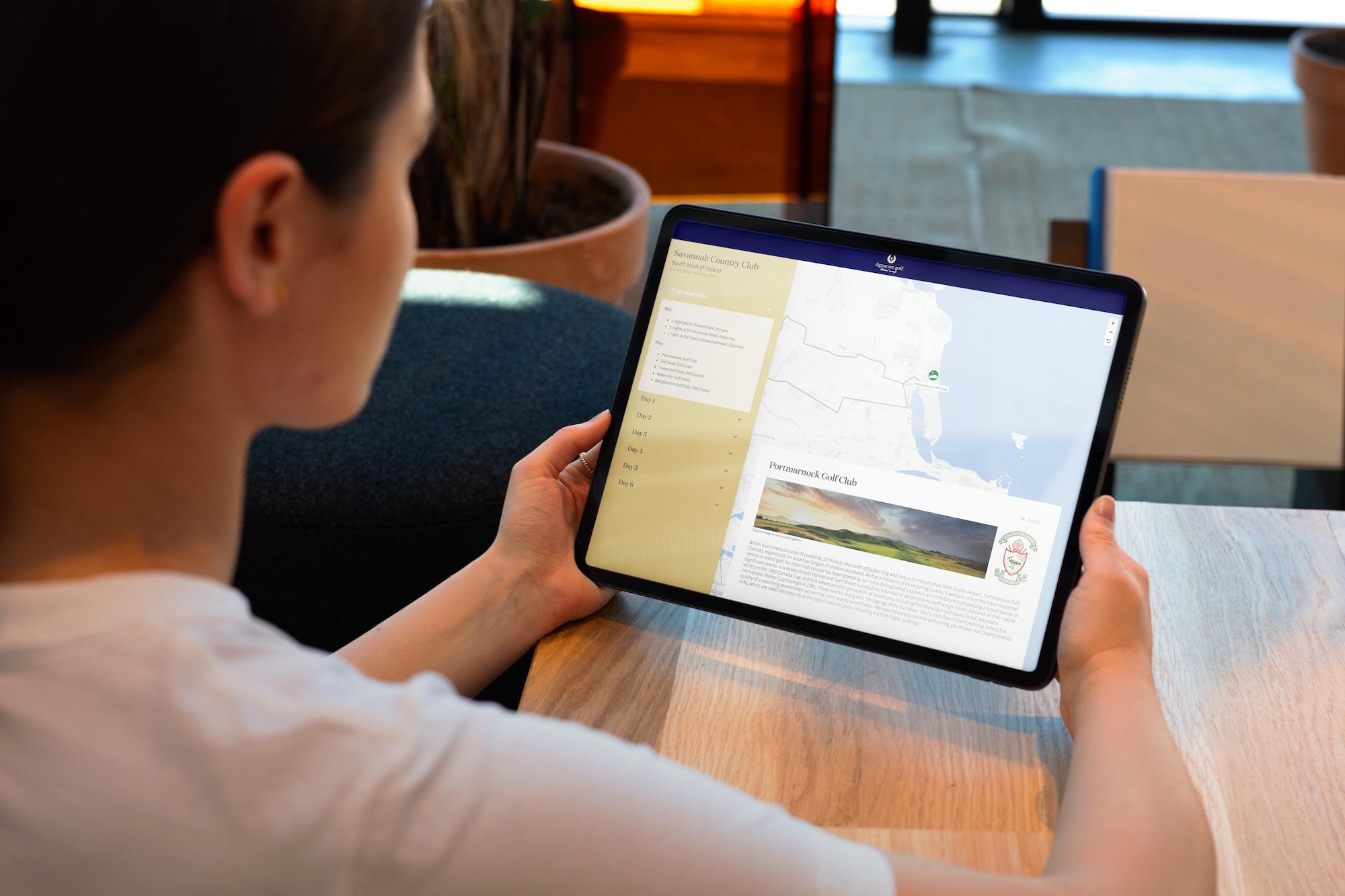
When a travel agency sells a tour, one of the main challenges is the immediate understanding of the route. An itinerary described only with text forces the visitor to make a significant mental effort: visualize distances, connect stages, and understand the travel rhythm.
An itinerary map changes everything. At a glance, the traveler understands:
- where the tour starts and ends,
- how many stages are planned,
- which regions or countries are crossed,
- the overall logic of the journey.
This clarity has a direct impact on commercial performance. Agencies that integrate maps generally observe:
- more time spent on the page,
- a stronger emotional projection of the trip,
- fewer questions before requesting a quote,
- a higher inquiry rate.
Beyond conversion, the map also plays a key role in brand perception. A well-presented itinerary gives a more professional, structured, and premium image of the trip being offered, which is particularly important for high-value tours.
Why and who decides to add maps in a travel agency?
Contrary to what one might think, the decision to add a map on an agency website is not always made by the same person, nor for the same reasons. Several profiles are involved, each with their own goals.
- The agency owner: Often the one who initiates the reflection. They want to modernize the site, stand out from competitors, and strengthen the perceived value of their trips. For this profile, the map is primarily an image and storytelling tool.
- The marketing or e-commerce manager: Their goal is more operational: improve conversion, reduce bounce rate, and make tour pages more engaging. They see the map as a performance lever and a way to make the offer clearer and more attractive.
- The product or production manager: In more structured organizations (tour operators, networks), this profile seeks to standardize tour presentation. A map helps harmonize travel sheets and better structure information across the catalog.
- Studios and web agencies specialized in travel: Very often, the idea also comes from outside. Studios that design websites for travel agencies know that a well-integrated map improves user experience. They look for reliable, easy-to-integrate, and customizable solutions that can adapt to the project's technical constraints.
👉 That’s why a high-performing itinerary map solution must speak to both travel agencies and the web professionals who support them.
The 7 types of maps used by travel agencies today
There isn’t just one way to use a map on a travel agency website. Depending on the type of trip sold, the customer journey, and marketing goals, multiple formats coexist. The most advanced agencies even combine several types of maps on the same site.
Here are the main formats used today:
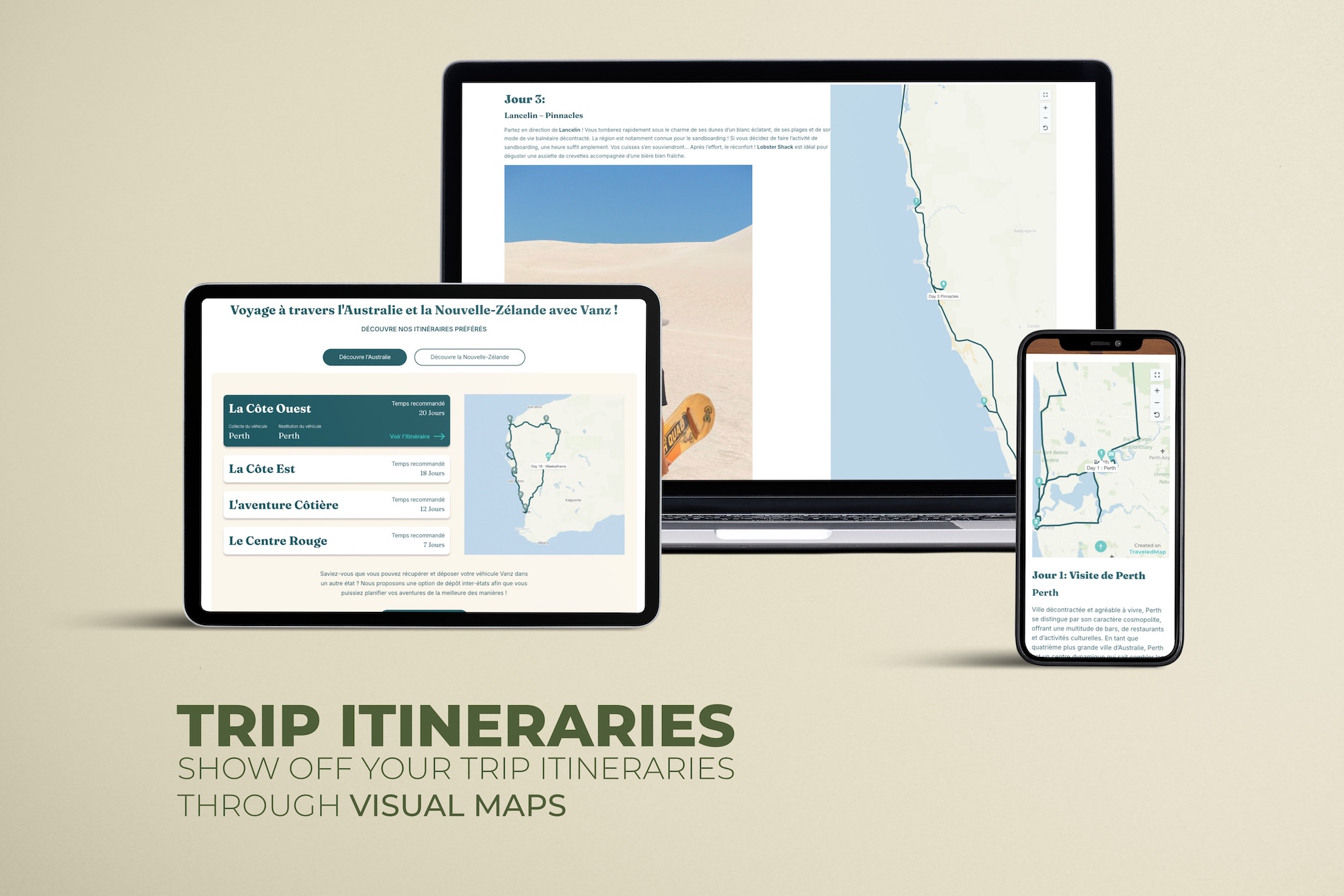
- Interactive itinerary map (per tour): Each tour has its own map with stages, routes, and sometimes extra information. It helps visitors instantly understand the trip. In the articlea tool for selling your trips, you’ll find an example of a custom map for presenting a tour.
- Global map of all trips (hub): A panoramic view of the offer, where each point or zone links to a product page. Highly effective for navigation and internal linking. In the articleadding a map to your company website, we present the benefits of this kind of map in a professional context.
- Scroll-synced map (storytelling): The map automatically moves as the reader scrolls, focusing on the presented location and reinforcing the narrative and immersive aspect of the journey.
- High-quality static map: A visual-focused format, often used for premium pages, brochures, or printed materials.
- Map with photos per stage: Each stage is enriched with visuals to help projection and strengthen the emotional connection.
- White-label integrated map: A map fully integrated into the existing site, respecting the agency’s brand identity and designed for discreet integration.
- Post-trip map turned into a poster: The itinerary becomes a keepsake after the trip, extending the customer experience and strengthening the relationship with the brand. In the articlePersonalized travel poster: the perfect gift for a traveler?, we present our vision for this new-generation gift.
Interactive itinerary maps: best practices
An interactive itinerary map is not just a route displayed on a map. To be truly effective, it must guide visitors, make the tour easy to understand, and support decision-making. Certain best practices are widely accepted among travel agencies and specialized studios.
- Clearly numbered stages: Numbering is essential. It allows travelers to immediately understand the order of the journey and connect each point on the map to a specific step in the program. Without numbering, maps quickly become confusing, especially for tours with many stages.
- Automatic focus and intelligent zoom: A good interactive map automatically adjusts its zoom and framing based on the selected stage. This automatic focus prevents constant manual map manipulation and makes navigation smoother, especially on mobile.
- Useful travel information (time, nights, distances): Displaying travel time, number of nights, or distances between stages reassures travelers and reduces uncertainty. These detailshelp evaluate the trip’s pace and reduce pre-quote questions.
- Mobile-first design: Many visitors browse tours on mobile. The map must therefore be readable, smooth, and easy to manipulate on smartphones. That means sufficiently large click areas, fast loading, and simple interactions without cluttering the screen.
- Calls to action synced with stages: The most effective maps integrate CTAs tied directly to each stage (quote request, learn more, contact the agency). Placed at the right time, these CTAs support the reading flow and turn interest into action.
“Search engine” map: display all your trips on a single map
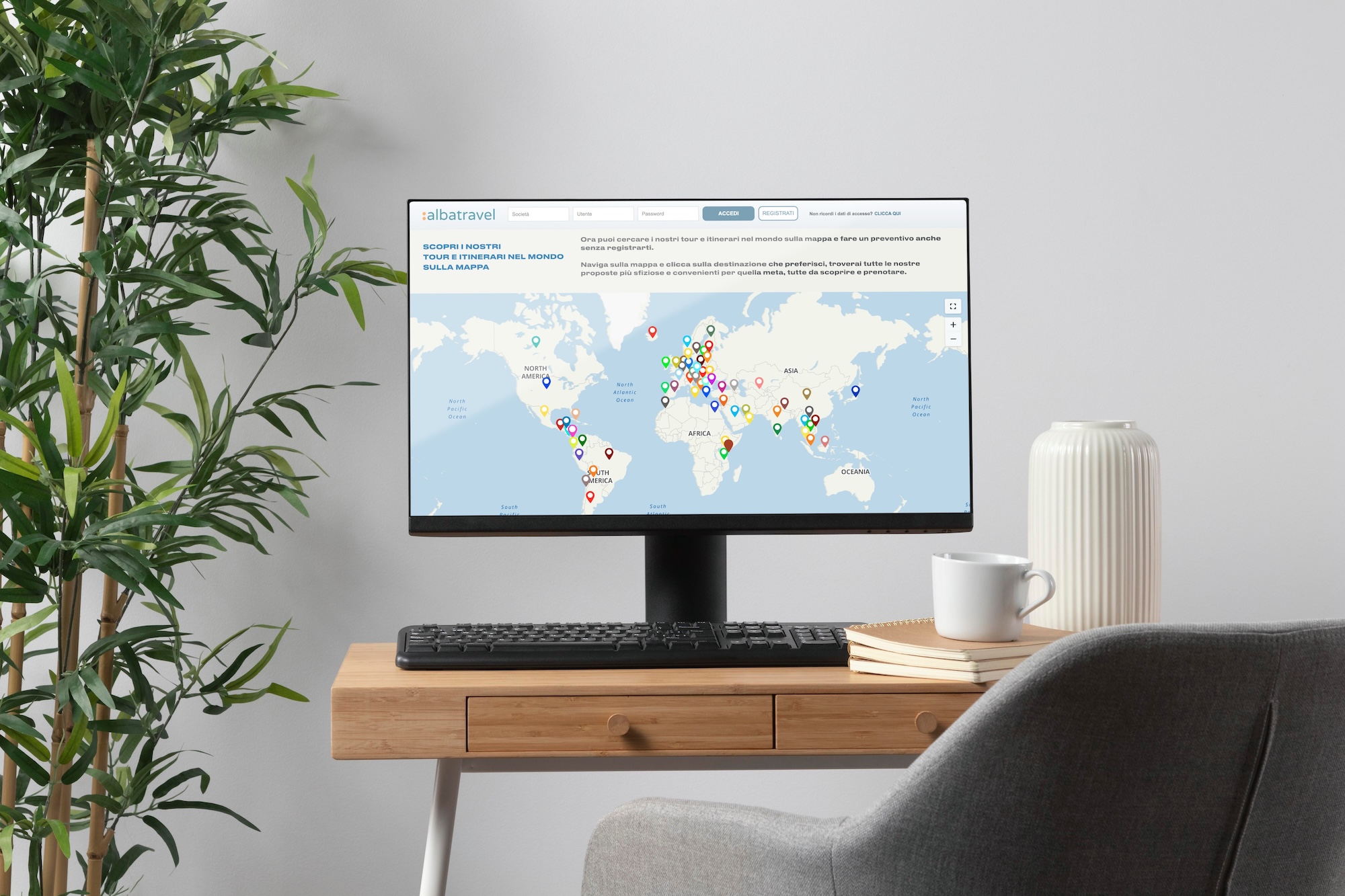
A search map allows you to show your entire travel catalog on a single geographic interface. Unlike a simple illustrative map, it acts as a visual search engine embedded directly into the agency’s site. It enables visitors to discover, filter, and explore the offer intuitively.
A geographic search engine for the user
The map becomes a natural entry point for travelers who think by destination. They explore an area, zoom into a region, discover available tours, and refine their choice visually without complex text navigation.
A full showcase of the catalog
Displaying all trips on a single map gives a clear view of the offer’s breadth. It reveals tours that are less visible in traditional menus and encourages discovery of destinations the visitor hadn’t initially considered.
Smooth navigation to product pages
Each point or area on the map links to a dedicated tour page. The map doesn’t replace product pages—it feeds them. It encourages browsing multiple trips and supports the visitor’s search journey.
A strong signal of modernity and professionalism
A well-integrated search map immediately reinforces the perceived quality of the site. It shows that the agency masters its catalog, offers a modern experience, and makes decision-making easier. It’s a strong marker of professionalism, especially compared to sites that are still very text-heavy.
A powerful engagement and differentiation lever
By inviting users to explore the offer visually and interactively, the map encourages curiosity and discovery. The visitor no longer just reads a page—they navigate, compare, zoom, and explore. This interaction naturally increases time on site and strengthens involvement in finding the ideal trip.
In a sector where many agency sites still rely on lists and text menus, a well-integrated search map becomes a true differentiator. It gives a more modern, immersive, and controlled image of the catalog while offering a clearly superior user experience.
Integration options: iframe, script (embed) or custom development?
To integrate an itinerary map or “search engine” map on a travel agency website, several approaches are possible. The right choice depends on three factors: the level of customization needed, performance constraints, and the team’s ability to maintain the integration over time (studio, freelancer, or in-house team).
In most cases, the iframe remains the simplest and most robust option: it lets you integrate a complete map quickly while keeping a good level of configuration and a stable experience across environments.
| Option | For who? | Advantages | Drawbacks |
|---|---|---|---|
| Iframe | Agencies, studios, fast integrations | Very quick setup, compatible with all CMSs, technical isolation (low conflict risk), stable behavior, good option for white-label and reliable integrations. | Limited SEO, highly specific UI customization is harder if it must depend on the host page. |
| Script (embed) | Studios and freelancers | Conditional loading (lazy-load), more “native” page integration, better control of certain behaviors (tracking, triggers, placements). | Often less configurable than an iframe depending on the solution, integrations can be less robust, risk of JS/CSS conflicts, need to manage performance and compatibility. |
| Custom development | Specific projects, advanced platforms | Full control over rendering and interactions, deep integration into the user journey, complete customization (UI, business logic, data). | Higher cost and time, long-term maintenance, reliance on a technical team, risk of scope creep if the perimeter isn’t clearly defined. |
In practice, if the goal is to integrate a map quickly and without complexity, the iframe is often the best starting point. The script can work if you need more controlled loading, and custom development is justified mainly when a business need requires a very specific integration.
SEO impact: how maps improve travel website ranking
Beyond user experience, maps play an increasingly important role in the natural SEO of travel websites. When well integrated, they influence several signals considered by search engines, especially in terms of engagement and content structure.
More time spent on the page
An interactive map encourages visitors to explore the route, click stages, and better understand the trip. This interaction naturally increases time on page, a positive signal for search engines.
Better user engagement
By making navigation more visual and intuitive, the map encourages interaction. The visitor doesn’t just read—they explore. This increased engagement helps reduce bounce rate and improves the perceived quality of the page.
Destination-focused pillar pages
Depending on the technical solution chosen, maps can help structure strong destination pages that serve as entry points for geographic areas or travel themes. These pillar pages reinforce the site’s semantic coherence and improve ranking for strategic queries.
Our premium idea: turning itineraries into posters
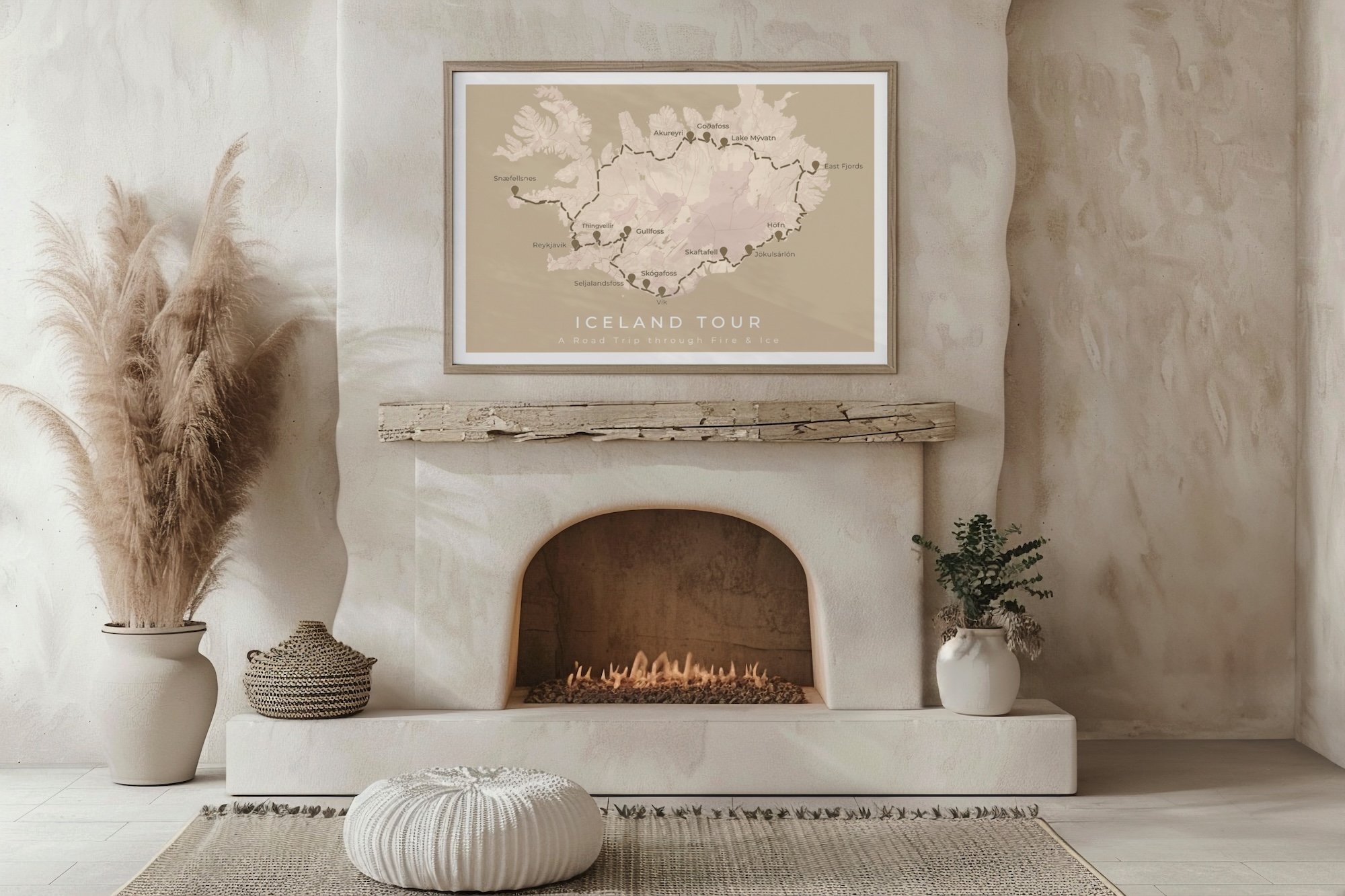
A travel map in poster form extends the experience well beyond the trip itself. By turning an itinerary into a tangible object, the agency creates a lasting emotional bond with its clients while reinforcing the perceived value of its offer.
A customer souvenir that lasts
Unlike photos stored on a phone, an itinerary poster becomes a decor piece. It reminds the traveler of the trip daily and durable associates the lived experience with the agency’s brand.
A high-perceived-value post-trip gift
Offered after the trip or as an add-on, the poster feels like a personalized gesture. It pleasantly surprises the client and closes the travel journey on a memorable note.
A simple upsell to implement
The itinerary poster integrates easily into the customer journey, whether during booking or after the trip. It provides an additional revenue stream without complicating the agency’s operations.
Go further: build or develop your own travel map
If you want to dive deeper or compare different approaches, we’ve already published detailed articles that explore the main technical options for creating a travel map.
- Create a travel map for my blog – A comparison of 4 solutions: custom development, Google My Maps, TraveledMap, and static maps.
- Develop your own map (travel map) with Mapbox (Beginner level) – A more technical article for those who want to build their own interactive map solution.
These resources are especially useful for web studios, freelancers, and technical teamsdeciding between a turnkey solution and custom development.
Checklist: how to choose the right travel map solution
Given the variety of tools available, it’s important to evaluate a travel map solution beyond a simple visual demo. This checklist summarizes the essential criteria to consider before making a choice.
- Ease of integration: does the solution integrate easily with your site or your client’s site (CMS, framework, existing stack)?
- Level of customization: colors, typography, styles, titles… can the map truly adapt to your brand identity?
- White-label: is it possible to remove any reference to a third-party tool to keep a consistent experience?
- Performance: is loading fast, including on mobile and on content-heavy pages?
- Mobile-first: is the map designed for smooth use on smartphones and tablets?
- SEO impact: does the solution improve engagement, internal linking, and site structure?
- Scalability: can it support catalog growth without technical overhauls?
- Time to deploy: how long does it take to create and publish a usable map?
- Maintenance: who handles updates, compatibility, and technical evolution?
A good travel map solution must find the right balance between flexibility, performance, and simplicity, while adapting to both travel agencies’ needs and those of studios and technical teams.
Conclusion: maps designed for agencies and web professionals
Interactive maps are no longer simple visual elements. When well designed, they become powerful tools for understanding, conversion, and differentiation for travel agencies. Whether it’s presenting a tour, structuring a catalog, or extending the customer experience after the trip, choosing the right solution is crucial.
That’s why a high-performing map solution must adapt to varied uses: agencies’ business needs, marketing requirements, technical constraints of studios, and travelers’ expectations.
Are you a travel agency?
Discover how to showcase your tours, improve offer clarity, and deliver a more immersive experience to your clients.
Are you a studio or freelance web professional?
Explore a flexible solution, easy to integrate and available in white-label for your client projects.